
Quill Lessons
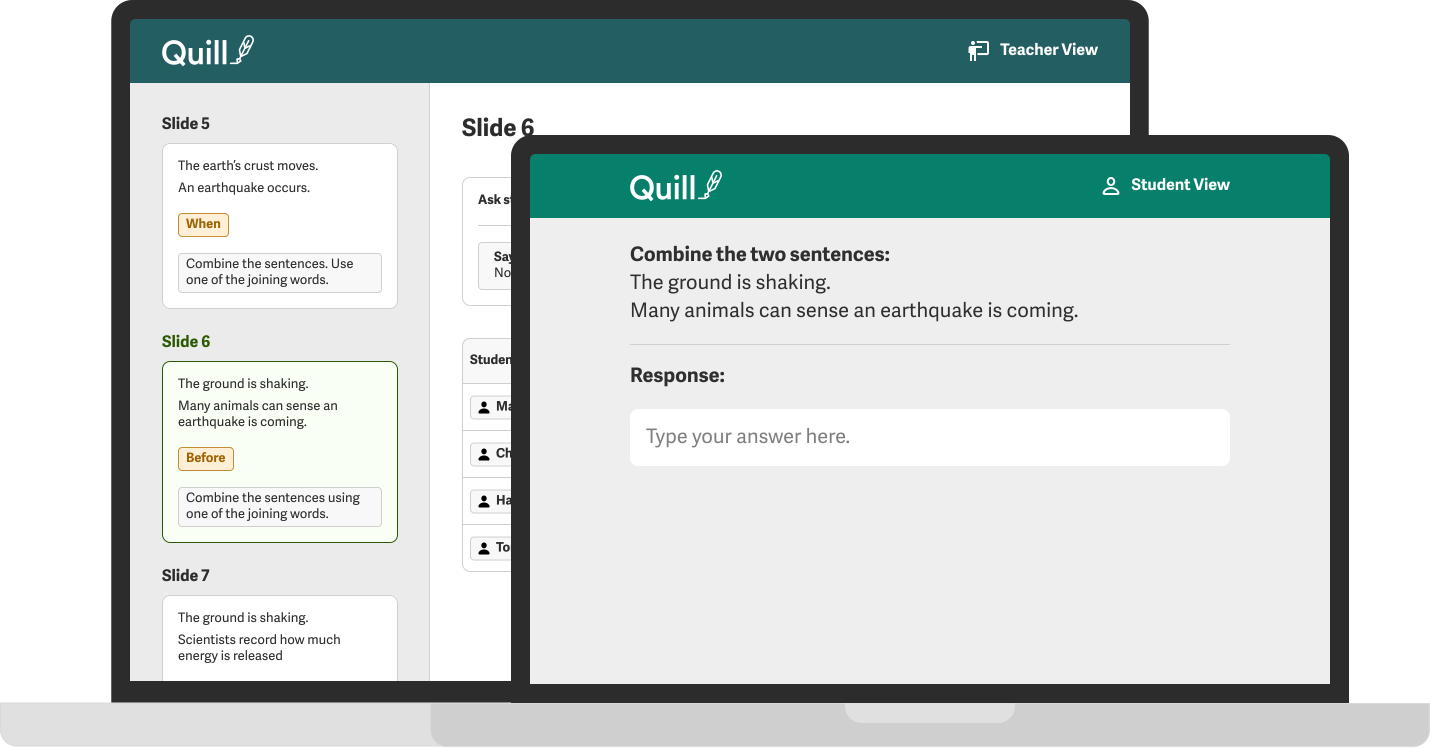
The Quill Lessons tool enables teachers to lead whole-class and small-group writing instruction. Teachers control interactive slides that contain writing prompts, and the entire class responds to each prompt. Each Quill Lessons activity provides a lesson plan, writing prompts, discussion topics, and a follow up independent practice activity.
Video not supported

Lesson Plans
Each slide is accompanied by a step-by-step guide that offers optional talking points and discussion prompts. Lesson plans can be downloaded and printed for easy use while presenting to students.

Teacher Modeling
Teachers control interactive slides and can model for students live. Customize prompts to make them relevant and engaging for students.

Student Open Response
Each lesson offers opportunities for students to respond to open-ended questions with their own writing. Teachers can share students’ answers with the group anonymously to initiate discussions.

Intervention
As teachers receive student responses, they can privately flag responses of students who require additional support. At the end of the Lesson, teachers can see all flagged students and pull them aside to provide clarification, additional practice opportunities, and further feedback on their answers.
What Skills Are Being Targeted
Adjectives
Adverbs
Appositive Phrases
Articles
Complex Sentences
Compound Sentences
Fragments
Nouns
Parallel Structure
Participial Phrases
Subjects, Objects, Predicates
Verbs
How Quill Lessons Works
Class-Wide Interactive Activities
Quill Lessons provides a series of interactive slides that allow an entire class to work together with their teacher. The slides contain interactive writing prompts, and students will write their answers on their devices. Teachers can then project selected answers back to the class to facilitate a discussion.
Lead The Lesson
Each slide contains a step-by-step guide to help you introduce new writing skills and content topics. The step-by-step guide also includes suggestions on how to discuss students’ answers and how to model strong writing to them.
Discuss Student Answers
See your student answers in real-time, and facilitate a conversation by selecting both strong and weak answers to project to the class. As a class, students can discuss why certain sentences are stronger than others.

Identify Students For Small Group
When the students respond, you can click on the “flag” button to select students who may need extra support. Students don’t see that they are flagged, but at the end of the lesson, you can pull aside flagged students for small group instruction.
Check Out These Relevant Articles
📋 PDF | Lesson Plan PDFs for Quill Lessons Activities
Access each of the Quill Lessons PDF Lesson Plans here.
Tiny Tips for Teachers: Four ways to use Quill Lessons
See innovative ways to incorporate Quill Lessons into your writing instruction.
Tiny Tips for Teachers: Using Quill Lessons as a remote resource
Here are a few tips for getting the most out of Quill Lessons in a remote learning setting.
Court Caywood Uses Scaffolded Quill Lessons to Strengthen her 6th Graders' Language Arts Skills
“I start my week with a scaffolded lesson that uses a gradual release method of practicing the skill until students complete the sample problems independently.”
"The kids LOVED seeing their responses come up live as we went through the lesson. Eighth-grade students were literally begging me to project their answers or asking me to allow them to resubmit an answer because they'd just gotten a better idea from another students example. An excited class learning grammar from each other, now that's a good day in ELA class! I can't wait till Friday to do it again."
Kim Hinderlie, Elma Middle School
View My Story